The Seattle Times
- 4.1
- Rating
- 100.00K
- Installs
- Free
- Price

 Analysis by App-foxy
I approached The Seattle Times as a reader who wanted a clearer way to follow Northwest news without sorting through a long list of unrelated headlines. Developed by The Seattle Times, this free news and magazines app is aimed at people who care about Seattle and the surrounding region, but its usefulness depends on how closely local reporting matches your daily interests. My first impression was that it works best as a focused reading destination rather than as a replacement for every news source on your phone.
The app has been available since April 14, 2011, and its continued presence gives it the feel of an established publication app rather than a temporary experiment. It is rated for Everyone, runs on Android 7.0 or later, and the current version is 7.2.1. Those details matter to first-time users because the installation requirements are modest, while the publication-focused design makes the app most attractive to readers who already want Seattle-area coverage in one place.
What to Expect Before You Start Reading
The main adjustment is understanding what this app is trying to do. It is not a general-purpose news reader that gathers every subject from every publisher. Instead, it puts the reporting identity of The Seattle Times at the center. That focus can be a strength when you want local context, regional developments, and stories connected to life in the Northwest. It can also feel narrow if your routine is built around international headlines, entertainment feeds, or a broad mix of publications.
You May Also Like

 Blood Strike: 2.5 Anniversary
Blood Strike’s Loadouts Turn Every Drop Into a Tactical Gamble
A close look at Blood Strike’s custom loadouts: how fast access to signature weapons reshapes its battle royale rhythm, rewards preparation, and narrows the gap between fights.

 Pandora - Music & Podcasts
Pandora’s Music Is Easy to Start, but Harder to Recover
Pandora’s strength is its low-effort path from a seed to a station. Its weak spot is how much confidence it asks you to place in connection, setup, and quiet recovery.

 8 Ball Pool
 Is Built on Rivalries, Rematches, and Routine
A close look at the rivalries, rematches, shared routines, and unanswered safety questions that turn a quick pool match into a persistent mobile community.

 Samsung Music
’s Quiet Strength Is Playing What You Already Own
Its reach comes less from spectacle than from dependable access to a personal library. That simplicity is both the app’s strongest retention engine and its ceiling.

 AccuWeather: Weather Radar
AccuWeather Review: A Quick, Clear Forecast for Everyday Decisions
For everyday plans, the best forecast is the one you can understand quickly. AccuWeather makes rain timing, radar, and local conditions easy to act on, with a few trade-offs.

 Hill Climb Racing
Why Hill Climb Racing Still Turns Crashes Into One More Run
A tiny car, a bumpy hill and one more upgrade: Hill Climb Racing keeps resurfacing because its simple chaos makes every near-miss feel personal.
More From Our News Desk



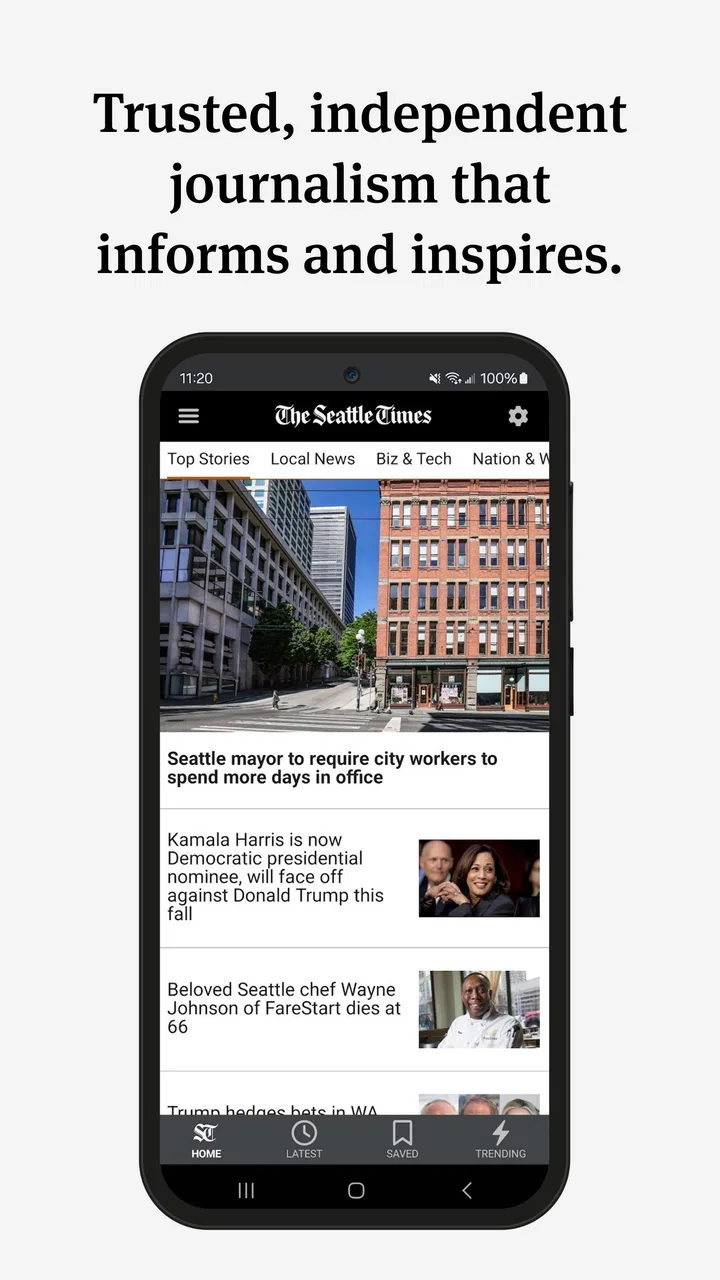
I would describe the experience as publication-first rather than algorithm-first. With many news aggregators, the opening screen may change according to broad popularity, personal interests, or a large collection of sources. Here, the reason to install is more direct: you want to keep up with the journalism associated with The Seattle Times. That makes the decision easier for a first-time reader. If Northwest news is something you actively seek, the app has a clear purpose. If you only want occasional headlines from many regions, your usual news aggregator may be more efficient.
The app is free to install, which makes trying it straightforward. It also includes in-app purchases listed at $19.99 per item, so I would not assume that every part of the reading experience is covered simply because the download costs nothing. A sensible approach is to install it, look around, and understand which reading paths are immediately available before deciding whether it belongs in your regular news routine.
Its average rating is 4.1 from around 3.9 thousand ratings, with roughly 1.7 thousand written reviews, and it has passed 100 thousand installs. I see those figures as signs of a real, established audience, not as a guarantee that every reader will have the same experience. News apps are especially personal: someone living in the region may find the focus valuable, while a reader elsewhere may quickly run out of reasons to open it.
One useful expectation to set is that the app is better suited to deliberate reading than to endless casual scrolling. I would open it when I wanted to catch up on the region, investigate a headline, or make the publication part of my morning routine. I would not choose it as my only source for breaking developments across the entire world. That distinction prevents disappointment and helps the app complement, rather than compete with, broader news tools.
Who will get the most from it
The strongest audience includes Seattle residents, people who have moved away but still follow the area, commuters who want regional context, and readers who prefer a publication’s editorial voice over a constantly changing collection of sources. It can also suit someone who is trying to replace a scattered habit of checking several local pages with one recognizable starting point.
It is less convincing for a reader whose main interests are national politics, international affairs, technology launches, or celebrity news. Those subjects may appear in a regional newspaper’s coverage from time to time, but the reason to choose this app is its Northwest orientation. If your location has no connection to Seattle and you rarely read regional reporting, a broader app will probably give you more value per opening.
Setting It Up and Finding Your First Useful Story
I’d use the first session to test whether the app’s regional focus fits my routine, rather than trying to explore every part of it at once. Choosing one story that connects to a place, commute, or issue I care about makes the experience easier to judge and gives me a practical starting point for deciding whether to return.
Keep the first session simple
After installing the app, I recommend resisting the urge to judge it from a quick glance at the opening screen. News applications often make more sense after you spend a few minutes identifying how their sections, story pages, and reading paths fit together. Start by looking for the main stream of coverage and then open a story that genuinely interests you. The goal is not to inspect every corner; it is to complete one meaningful reading session.
A good first setup is to decide what role the app will play. If you want a morning briefing, place it alongside the other apps you already use before work or school. If you are more interested in local developments as they unfold, treat it as a check-in app rather than something that must remain open all day. This small decision makes the experience feel intentional instead of turning the app into another source of unattended notifications and unfinished articles.
I also suggest checking the app’s behavior on your particular device before drawing conclusions about performance. The minimum operating system is Android 7.0, which makes the compatibility range friendly to older Android phones, but an older device may still make article loading or movement between screens feel less fluid than a newer one. The app is not demanding simply because it is a newspaper app; the quality of your reading session still depends on the phone, connection, and display you use.
Your first successful action
The first success should be concrete: open a regional story, read beyond the headline, and decide whether the reporting gives you more context than a short social post or search result. That is a better test than counting sections or judging the app by its icon. I found that a focused article can quickly show whether the publication’s approach matches what I want from local news.
For a realistic weekday example, imagine checking the app during breakfast before leaving home. Rather than browsing randomly, I would scan the available headlines, choose one story connected to the Seattle area, and finish that article before moving on. If it raises a question about another local subject, I would use the app’s surrounding coverage to continue reading. This workflow turns the app into a compact regional briefing and avoids the common trap of opening a news app with no clear stopping point.
Another useful test is to return later in the day and see whether the app still feels relevant after the initial session. A publication app earns a place on my home screen when it helps me answer a recurring question, such as “What important Northwest story should I understand today?” If it only gives me a reason to open it once, I would keep it as an occasional reference instead of a daily habit.
How to read without wasting time
I prefer to use a two-pass method. First, I skim the available headlines and select only the stories that affect my interests. Second, I read one or two carefully instead of opening everything. This is particularly useful with a local newspaper app because the value often comes from context, not from the number of headlines consumed. A smaller reading list can leave you better informed than a fast scroll through dozens of disconnected items.
When a headline seems relevant but not urgent, I would avoid treating it as a notification that demands immediate attention. Open it when you have enough time to understand the subject. That habit helps distinguish the app from social feeds, where a headline can be shared widely before the reader has absorbed the details. The Seattle Times is more worthwhile when you approach it as a reading source rather than as a stream of prompts.
Common points of confusion
The first likely confusion is the difference between a free installation and the full value of a newspaper service. The app costs nothing to download, but the listed in-app purchase price means that some access may involve a paid choice. I would look carefully at the wording presented inside the app before committing to anything. This is not a criticism of the publication model; it is simply an important distinction for anyone expecting every article or reading route to be unrestricted.
A second source of confusion is the app’s regional emphasis. If you expect a general news dashboard, the selection may initially appear too focused. That is not necessarily a weakness in the app itself. It is a sign that the product is designed around the identity of The Seattle Times. I would give it a fair test by reading local coverage first, rather than searching immediately for the same broad mix offered by a national aggregator.
A third issue is deciding whether the app replaces another news source. In my view, it works better as a specialist addition. A broad news app can cover global events and multiple publishers efficiently, while this app gives you a more direct way to follow the Northwest. Using both can be sensible if local reporting matters to you. If you want only one app, choose this one when regional depth is more important than variety.
Some readers may also wonder whether the app is suitable for occasional use. I think it is, especially for former residents, visitors preparing for a trip, or anyone following a local issue for a limited period. You do not have to make it your permanent daily briefing to benefit from it. The trade-off is that occasional users may need a little time to reorient themselves each time they return, whereas regular readers will naturally learn where their preferred coverage appears.
Practical habits that improve the experience
One non-obvious advantage of a publication-specific app is that it can reduce the mental cost of choosing sources. Instead of asking whether a headline came from a reliable page buried in a large feed, you begin with a known regional publication. That does not mean every story will interest you, but it gives your reading session a consistent editorial home. I found this especially useful when I wanted local awareness without spending time comparing several unrelated outlets.
A second useful trade-off is to separate discovery from deep reading. Use the opening view to discover what deserves attention, then slow down on the article that matters. This prevents the common mistake of judging a news app by how many headlines it displays. For The Seattle Times, the more meaningful question is whether the selected story helps you understand a Northwest subject well enough to discuss it, follow later developments, or decide what to read next.
A third tip is to treat the app as a scheduled check-in if you find yourself opening it automatically. News can easily become background noise, especially when several apps compete for attention. A morning or evening routine gives this app a clearer job and makes it easier to notice whether it is genuinely improving your awareness of the region. If you cannot identify a useful moment for it in your day, that is a sign that a broader or lighter news option may suit you better.
Readers concerned about age suitability should find the Everyone rating reassuring for general household use. Still, news content can cover serious or upsetting subjects even when an app carries a broad age rating. I would use normal judgment when handing the phone to a child, particularly if the purpose is casual reading rather than supervised access to a specific story.
How it compares with familiar alternatives
Compared with a social media feed, this app offers a more deliberate path into regional journalism. Social platforms are faster for discovering what people are discussing, but they can mix commentary, reposts, and incomplete context. The Seattle Times makes more sense when you want to begin with the newspaper rather than with the reactions surrounding a story.
Compared with a general news aggregator, it gives up breadth in exchange for a clearer Northwest identity. An aggregator is the better choice when you want one screen covering many publishers, countries, and subjects. This app is the better choice when the Seattle area is the part of the news landscape you do not want buried under everything else.
Compared with reading the publication through a mobile browser, a dedicated app can feel more direct because it keeps the newspaper’s coverage in a separate space on your phone. The browser remains useful when you are already searching for a particular article or moving between many sites. I would choose the app for routine access and the browser for quick, one-off searches or situations where installing another app feels unnecessary.
When another option is the smarter choice
I would skip this app if my main goal were a worldwide news digest, a highly personalized feed assembled from many sources, or a simple headline widget with almost no reading commitment. The regional focus that makes it valuable to one person can make it feel limited to another. It is also not the right first choice if I am unwilling to consider the possibility of paid in-app access after installation.
I would also look elsewhere if I wanted every news source organized around a custom list of topics rather than around one publication. A general aggregator may offer more control for that kind of reader. On the other hand, too much customization can make local coverage disappear inside a busy feed. The Seattle Times is most persuasive when I want the opposite: a defined source with a strong geographic center.
My final assessment for a first-time reader
After using it as a focused regional news tool, I see The Seattle Times as a good fit for readers who want Northwest coverage to have a permanent place in their routine. Its free entry point, long availability, broad device compatibility, and established audience make it easy to try. The important question is not whether it can replace every news app, but whether Seattle-area reporting is valuable enough for you to return regularly.
My recommended path is simple: install it, open one story that connects to your interests, read it carefully, and then decide whether the app gives you a better local perspective than your current routine. If it does, set a specific check-in time and use it as your regional anchor. If you only want a wide mix of national and international headlines, keep your existing aggregator instead.
The best reason to choose this app is focused local awareness, not endless variety. I would recommend it to Seattle readers, former residents, and anyone who wants a publication-centered way to follow the Northwest. I would not present it as a universal news solution, but within its intended role, it offers a clear and practical starting point for staying connected to the region.
FAQs for The Seattle Times
01What is The Seattle Times app?
The Seattle Times app is the mobile edition of the long-running Seattle newspaper, offering access to local, regional, national, and international news. After installing it, readers can browse breaking stories, investigations, politics, sports, business, entertainment, weather, and opinion content in a layout designed for phones and tablets. Available sections and features may vary by subscription and device.
02Is a subscription required to read The Seattle Times?
Some articles and features may be available without payment, but regular access to the full publication generally requires a digital subscription. Subscription plans can include unlimited article access, newsletters, subscriber-only reporting, and other benefits. The exact limits, pricing, trial terms, and promotional offers may change, so users should review the current information shown in the app or on The Seattle Times website before subscribing.
03What kind of news and content can I find in the app?
The app focuses strongly on news from Seattle and the Pacific Northwest, making it particularly useful for readers who want local reporting and regional context. It also includes coverage of major national and global events, along with sports, technology, food, culture, lifestyle, business, and editorial content. The available homepage may be personalized or organized according to the publication’s latest updates.
04Can I save articles or read The Seattle Times offline?
Offline reading and article-saving options may depend on the current version of the app, your account type, and the platform you use. In general, subscribers may receive more reading and personalization tools than casual users. Before relying on the app during travel or without an internet connection, check whether the desired stories can be saved and confirm that downloaded content remains available offline.
05Does The Seattle Times app send notifications?
Yes, The Seattle Times app may offer push notifications for breaking news, important local developments, sports updates, and other selected topics. Notifications can be useful if you want timely information, but they may become distracting if too many categories are enabled. After installation, review the app’s notification settings and your phone’s system permissions so you can choose which alerts to receive or disable them entirely.
Pros
- Covers local Seattle news with strong regional focus.
- Includes in-depth reporting
- investigations
- and opinion pieces.
- Offers timely updates on major events and breaking stories.
- Clean interface makes browsing sections and articles straightforward.
- Supports saving articles for reading later on compatible plans.
Cons
- Most premium articles require a paid subscription.
- Some content may load slowly on weaker connections.
- Advertising can interrupt the reading experience for non-subscribers.
- Coverage is less useful for readers outside the Pacific Northwest.
- Certain features may vary between the Android and iOS versions.

The Seattle Times
Gallery